Thoughts on the AI Foundations Course

I am curious as to everyone’s thoughts on the AI Foundations Course.

I am not a fan of it, at all in fact, and I’ve been with Code.org for a long time. For me, it’s being used as curriculum for a required freshmen level course and it’s much too difficult for my students. While some students do grasp it, many are frustrated by the complexity of it including myself.

Couple of things:

Unit 1 had some really fantastic lessons but it was much too repetitive and it missed out on some opportunities to do some cool lessons regarding training data. Also, there were some missed opportunities for some fun projects utilizing AI.

In my opinion, Unit 2 is fantastic for an upper-level course. Some issues I had with it:

  • Moved much too quickly as an foundational level course.
    • Parameters
    • Passing objects as parameters
    • Importing user-created functions

While I am being critical of the course, I do think it’s well-done. But for me, it’s just much too difficult as a foundational-level course for freshmen.

I am curious other people’s opinions.

I am new to code.org and decided to try just Unit 2 for doing Python Programming., ”Unit 2 - Foundations of AI Programming”.
We are just part way into Lesson 3 and I would say it has been a disaster so far.
I’ll have to spend some time putting together some constructive feedback but it has been super confusing for myself and the students jumping from the platform to the workbook to additional pieces. I know whoever designed it really wants us to print it out, but if you don’t and try to do things electronically it seems to be a big confusing mess.
I feel like the exercises need more examples before jumping into them and some of them seem too ambiguous. The baking a cake exercise had you classifying things but they are very vague and could fit into more than one category, I feel like a bunch of straightforward ones to start with and an example first would make sense. Then maybe do some more ambiguous examples (or not).
I’m trying to decide if I should just cut my losses and drop using code.org and do it from scratch, OR if I will go through each following lesson really carefully and update them all.

Maybe it will get better when it goes into just coding but so far we have all been struggling.

What grade level are you teaching?

I agree about the Activity Guides - I just can’t print them out for all my students nearly everyday, it’s just too much. Not to mention the Unit Guide as well.

As a devoted code.org user since 2016’s TeacherCon I’m getting similar vibes. I feel like the Python coding levels are rushed - it’s the equivalent of multiple units of CSP coding, squished into one. My kids are struggling, and since I’m learning Python along with them I’m not in a position to create the supports that they need.

I popped over to look at the CSP units, but it’s going to be a lot of work to build that level of support for the Python lessons.

It is a mix of 9-12 high school students.

I was planning on giving the students a brief tour of the “Python Lab Documentation” and official Python documentation.
The lab docs could certainly use some improvement. The Painter docs should have at least the following added:

  • summary of all the methods and Attributes at the beginning
  • show a basic usage of the Painter
  • it calls Attributes “Fields”, it should use the correct terminology and be consistent with the slides
    Other parts of the docs:
  • it has all these sections, but they are blank:
    Python Lab Shortcuts
    Mac: Advanced Commands
    Mac: Basic Commands
    Windows: Advanced Commands
    Windows: Basic Commands
  • The Lab docs don’t cover all the material in the lessons such as Variables, Data Types, Objects, Loops, Conditionals. It feels like big chunks are missing.

You’re absolutely right it feels rushed. I am teaching parameters to freshmen who are forced into the class because my state is requiring it before I am teaching it to my AP students.

I think it’s important for me to say that I have been a devote Code.org teacher since the beginning but I am finding it difficult to use this curriculum for my needs. And for the record, it appears this curriculum was built specifically for my state’s required course.

I noticed the attributes stuff as well. Maybe those chunks are missing because the course just rolled out and they will begin to add to it? I’m not sure.

Thanks for the detailed feedback @dougm. I’ve flagged this comment for the curriculum team.

–Michael K.

I am almost through the entire semester and I would agree that the pacing is off on some lessons. We have block classes and if found that many of the Unit 2 lessons really needed the full 90 minutes instead of the advertised 45 minutes. Other lessons in other units needed far less than the 45 minutes allotted. I find that if there is too much down time, behavior issues arise.

That being said, next semester, I plan to slow down Unit 2 and take a little more time. I think that will help a lot with comprehension.

I too have been using Code.org for a long time. I completed most of Unit 1 and skipped to Unit 3. I have 9-12 and found the students were confused by questions and finished early often. They students who have a better grasp of AI already did a decent job, but not sure they learned too much new and the less tech savvy did not seem to get the point. I went back to CSD for now.

1 Like

When my school looked at the curriculum during the last school year it was different from what was released. That may have set expectations wrong for the course we got. As I recall the original vision had a larger slice of programming. This course has a lot about computer hardware.

There is nothing wrong with teaching children how to use and be wary of AI. But I was also expecting to see at least some fundamentals of the math behind the LLMs. Google has Teachable Machine that could be used in a curriculum like AI Fundamentals. Even code.org has the curriculum on training AI to detect ocean pollution.

So, more AI, more programming AI, less hardware.

1 Like

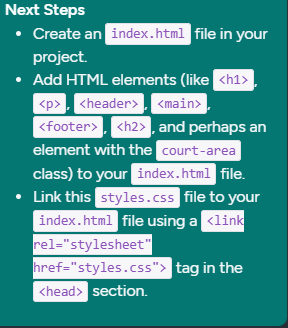
I just started trying to use Code.org today. I am having issues with Unit 1, Lesson 1, specifically level 2 Next Steps. To me, these next steps assume my students and I are more experienced than we are. I am unclear about what the output should be on the step 2. I would assume if I had AI to create a webpage with just CSS, I wouldn’t see anything because the code would just be different style features and no content. I wish I had someone I could call or someone who is quick to respond that I could email. I really want to stick this one out.

Hi @glassjl,

I’m so sorry that this was frustrating! I’ll do my best to help if I can. Your post is in the AI foundations course, and I do not recognize this screenshot from level 2 of lesson 1, Talking to Machines.

Can you share a link to the level you’re looking at?

I thought this was the same as the Pilot AI Foundations Course Semester 2. I may have to start a seperate thread.

Hmm, I don’t know anything about that one. Let me reach out to the curriculum team to see if we can either create a forum section for it, or get someone from the pilot team to monitor the forum to answers questions directly.

1 Like

I would agree

pacing - I have had to skip some of the activities just to fit several lessons into 2 class periods of 48 minutes each. Unit 1 was especially tedious, but it was my first time teaching it and I have a better idea of how to streamline. Some group activities became discussions, some became demonstrations, some we did part one and discussed part 2, etc.

Resources - I wish there was more in the way of explanation on the teacher side. Some lessons have it and it helps, but other lessons, like 4.3 diagram need more explanation so I can teach it more effectively. How are students supposed to know what the lightbulbs are for when I found nothing in the lesson that mentions AI in routing data? Did I miss something? Many teachers are not coming from a CS background, so having extra resources is a huge help.

Projects - We did one project and decided not to do the remaining ones as they take too much time. It took almost 2 weeks to do the project that we did. Since we were already behind on the lessons, we decided not to take time on the projects and some of them sound really good!!!

Schedule too full - All but 3 days of a semester are taken by lessons in the pacing guide leaving no time for reviews, unit tests and retakes. The schedule also does not account for the state standardized testing days - unless the 3 days is for that. Now factor in absent makeups. When kids get behind, they struggle to catch back up and they struggle to re-create a “group” activity by themselves, but they need to do them to be able to answer the QoD. Not to mention these lessons do not work well for e-learning days and teacher absences, so those are alternate activities, putting us further behind. Drills, all-day field trips for music students, assemblies also take a chunk of time out of the schedule.

Credit - I blame Indiana for this one - I am expected to teach this course to ALL 7th graders next year for credit. I will have to do so much scaffolding that we will be lucky to get through 1/2 of the course, minus projects, in that time. Is the quality and mastrey really going to be on par with those who are taking it in high school? I think not.

Middle school - If anyone has trimmed the class to hit the major standards, while ensuring time for mastry to students below the HS level, I would love to hear your ideas.

Answer Keys - For the unit guide answer keys, there is often no answer for the Question of the Day. I assume it is because answers will vary, but I would like some explanation of what course creators were looking for in the way of answers if not a sample answer. This would help guide MY expectations of those answers and better communicate those expectations to students.

Shared student resources - several lessons have group activities where we are supposed to share a slide deck with each group so that each group member is working from the same slide. I have not found an easy way to do it. The first time I created the copy asked one group member to make a copy and share with the groupmates, but that turned into a HUGE time absorber. If anyone has a better way, I’d love to hear it.

I really like a lot of the activities and lessons, but some seem shallow even for an intro course and some seem too much for an intro course. Some feel too broad, which may be fine for HS kids, but I find myself rewriting a lot to make things more focused for middle schoolers. I wish we had time to get to everything. My students were looking forward to Unit 2, but the local decision was to put it at the end and drop it if we didn’t have time. Others were looking forward to the cyber security unit, but we will not get to that either or Unit 6. I think what we have is a GREAT start and I am glad the creators are taking feedback. I asked if the handouts could have a footer on each page with the unit and lesson number. I print out everything because double screening on an iPad is less than ideal, then dealing with draining batteries, students not charging devices, off task behavior, etc would have been a nightmare.

I look forward to the changes and improvements!!!
1 Like

@pmadson thank you for the thoughtful feedback! I have passed it along to the team so they can see it.

-–Michael K.

I have moved on to Unit 4. Is anyone having difficulty with the simulators? My students have joined the correct class, but not everyone sees the same routers to join. I double check that students have picked the correct course section, but end up with 2 router 2 and they both have different people in them. One router 2 screen only had 2 routers available, the others had 7, but were missing the students on the other router 2. Do new routers automatically populate or are my students adding them? They say they aren’t, but one class ended up with 14 routers on most of their devices, but others only had 2. It is like they are in different sections, but I have checked and they aren’t.

We send the messages but we don’t always see what the lesson is trying to show the students like messages using different pathways. Multiple messages from one person to another use the same path. I am often just having to talk to my class about what they should have seen instead of them seeing it for themselves.

When we got to using the GET command, we had a lot of difficulty trying to figure out how to format the request as the example has [ ] and < > in them , but those symbols are not needed. GET has to be all caps, the user name has to be exact. We figured it out, but we lost a lot of time playing “guess the format”.

Some of the preparation instructions say to make sure that students can… I do not have access to a student device and there is no time in class to “make sure” of anything. Then we end up with a lot of class time spent on things like this and not on the actual content.

Some of the lessons seem to lack continuity as in the level questions do not scaffold to the QoD in a way that leads students toward answering the QoD. Higher level questions are great, but I have been adding questions lower on Bloom’s Taxonomy to the Unit Guides to better connect concepts. I may have to add more since I have to teach this to 7th graders next year and they will not all be able to handle the course as written. Adding those questions also helps in assessing learning and doesn’t put the bulk of assessment on the QoD since many of my students struggle with written expression - they are on grade level, but many cannot easily convey what they have learned coherently in writing. When I ask what they mean by something, they often cannot remember or don’t know what they meant.

It seems that the things in the lessons are really challenging, but the tests are super easy. It would be nice if that was balanced more - add lower level questions to the lessons and add additional question types to the assessments.

For an introductory class, some of the lessons are great and some seem very cumbersome to me as an educator and to my students. Several students open the scavenger hunt slides and play them but they are stuck on a loading screen. If a student is absent, it is difficult to navigate through a missed lesson, so I am adding tips to the handouts and slides on where to go next (vocab - last slide(s) in every lesson, go to level x (many slides say when to go to a level, but not all). I am having to write procedures for my absent students for every lesson.

If anyone has suggestions about how to make this easier, I am all ears.

That sounds incredibly frustrating, especially since the Internet Simulator relies on a student set-up step, and if they don’t do it correctly they may not be able to observe the concept deeply. I’ve seen others work around this by setting very explicit norms (like assigned routers and reset steps) and doing quick whole-class demos to anchor what should happen. I think your experience also highlights how much clearer guidance and PD (like what exists for this tool in CSP) would help here.

That very much hits the nail on the head. I took the summer PD in in Bloomington and the follow up meets during the fall. I know timing wasn’t on our side, but it would have been nice to see more of the teacher side of things either during training or having a follow up after the course is taught the first time for teachers to get together virtually to discuss what went well, adjustments that teachers made that worked, things that didn’t go so well and getting feedback on that, etc. So much of the content of the virtual PDs last fall I was not able to fully participate in as I didn’t teach the course until the spring. I had nothing to contribute to those discussions and I didn’t get a lot out of them since I hadn’t taught it yet and had no experience with students. I was in several breakout groups where we just discussed something else course related as none of us had taught the course yet. It was still productive time, but not in the intended way.

1 Like